CarrollWood Integrated Services LLC
Professional Services & Software for Growing Businesses
Professional Services & Software for Growing Businesses
Your PayPal and Zettle transactions, classified and posted to QuickBooks Online — automatically. Built for bookkeepers who manage multiple clients and can't afford to do it by hand.
Designed for desktop use — functional on mobile for quick reference.
Connects directly to the PayPal Transactions API and Zettle Purchase API to pull your complete transaction history for any date range — automatically, without manual exports or CSV files.
Transactions are automatically classified as sales, refunds, expenses, bank transfers, or credit card funding. A full review step lets you approve or skip individual items before anything is posted to QBO.
Map each transaction type to the correct QuickBooks Online account for each client. Sales go to income, fees to expenses, transfers to the right bank account — exactly how your chart of accounts is structured.
Map PayPal payee names to your QuickBooks vendors and expense accounts. New vendors encountered during a sync are created automatically in QBO — no extra steps required.
Manage all your bookkeeping clients from a single login. Each client has their own PayPal credentials, QuickBooks connection, account mappings, and sync history — completely isolated from one another.
Every sync run is logged with a full audit trail. If something was posted incorrectly, undo the entire run — all associated records are automatically removed from QuickBooks Online and the sync log in one step.
CWIS Intersect is designed to be straightforward for bookkeepers: connect accounts once, configure mappings once, then sync with a few clicks whenever you're ready.
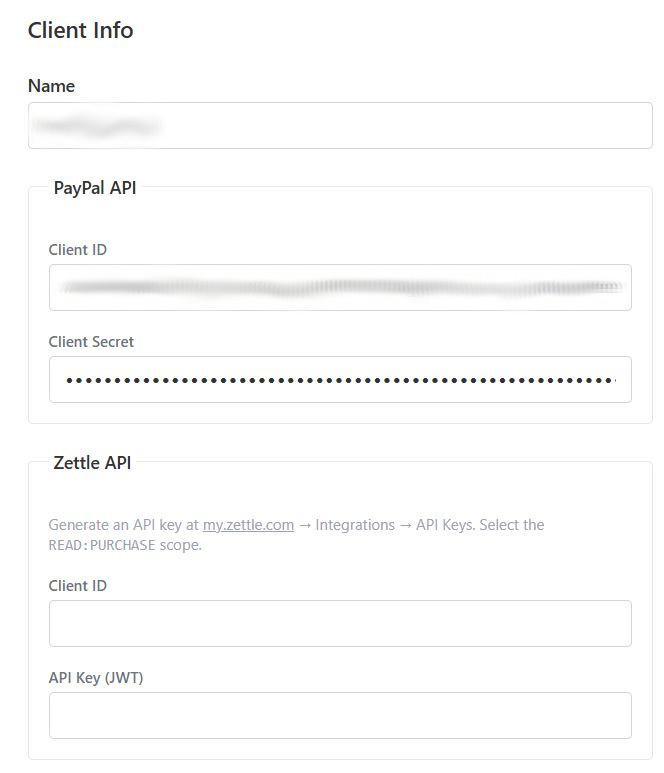
Manage all your bookkeeping clients from a single interface. Each client has its own isolated connections, account mappings, and sync history.
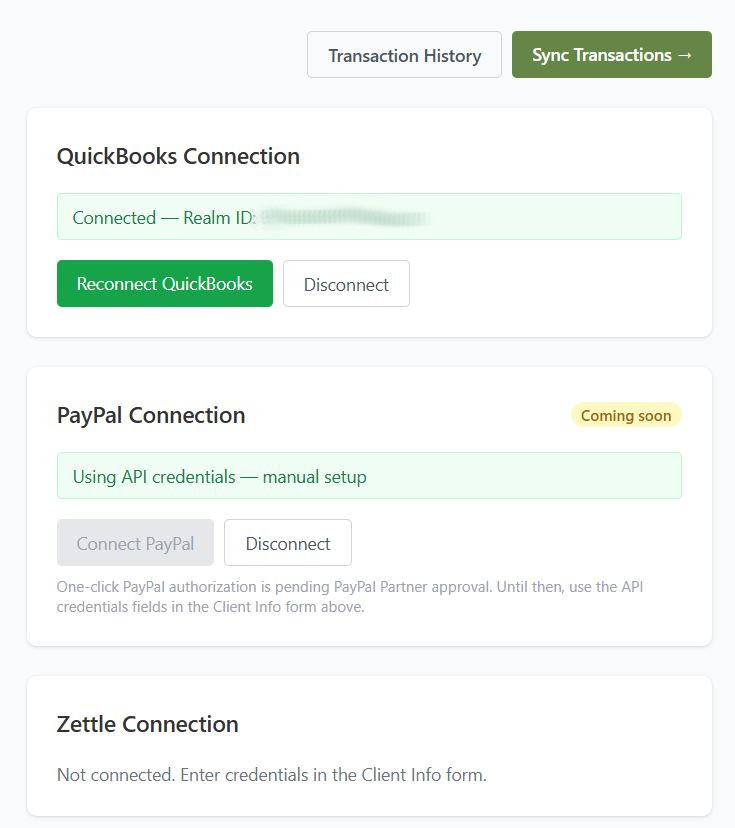
Connect PayPal and QuickBooks Online through their official OAuth flows. Optionally add Zettle for in-person cash sales. All tokens are encrypted at rest.
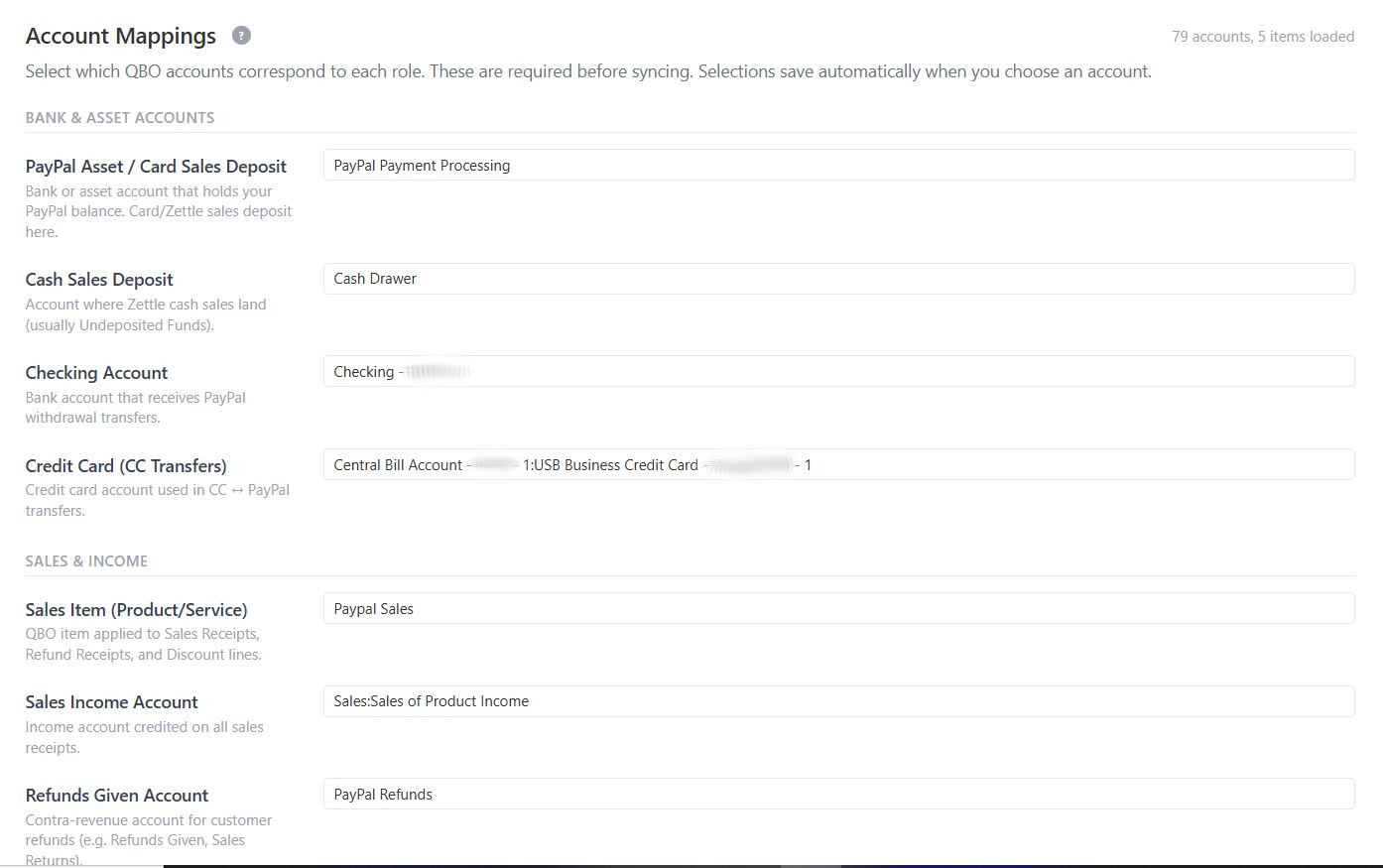
Map each transaction role — sales, fees, bank transfers, credit card funding — to the right QuickBooks Online account for that client.
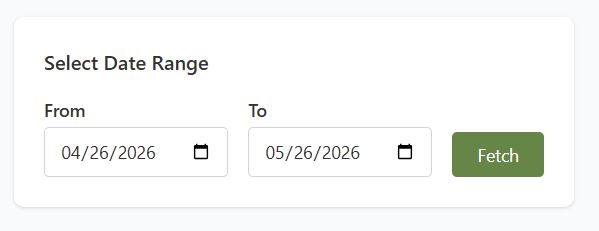
Choose any date range to pull transactions. Sync a single day or catch up on months of history — on your schedule, with no risk of duplicate entries.
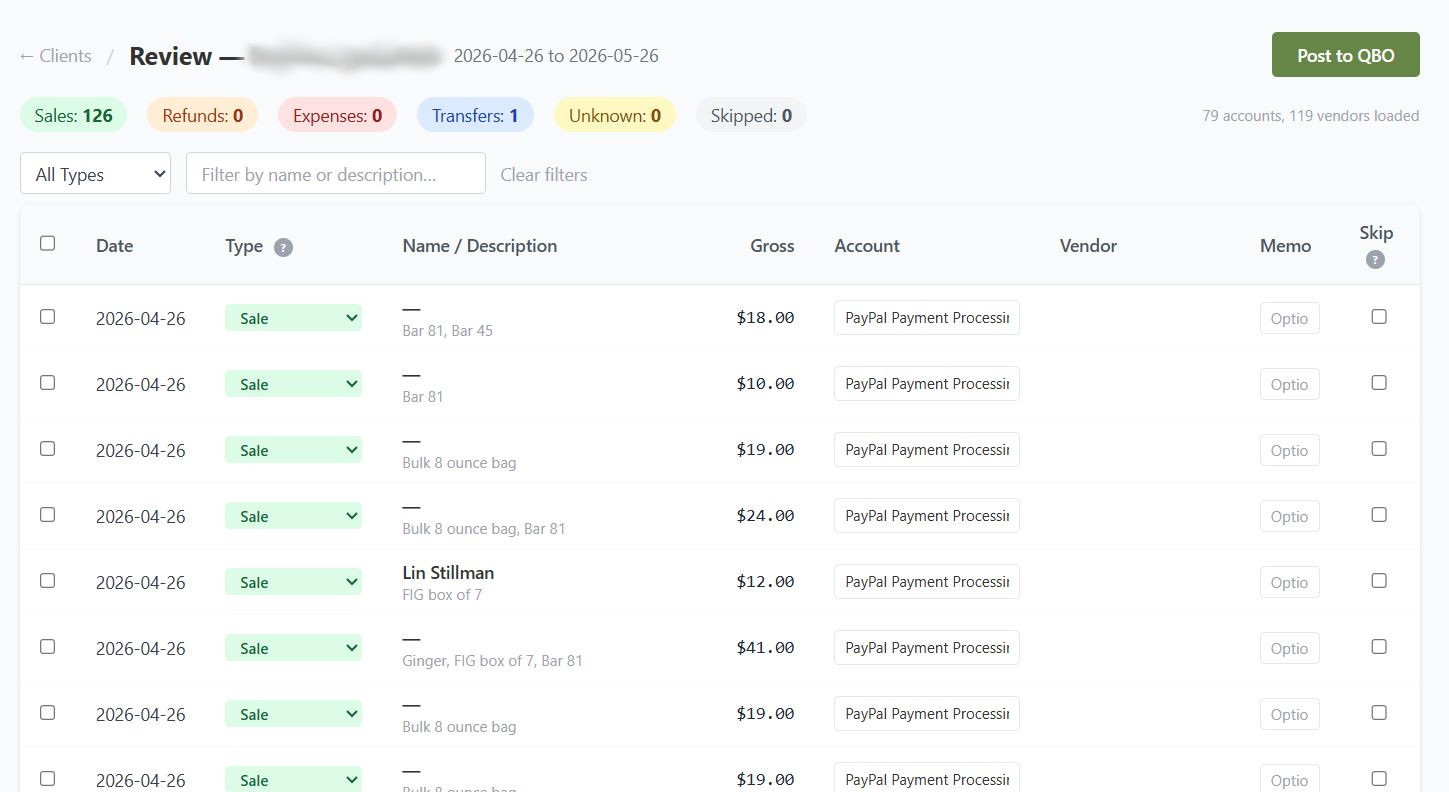
Review auto-classified transactions before anything is posted. Adjust categorizations or skip individual items — full control remains with the bookkeeper.
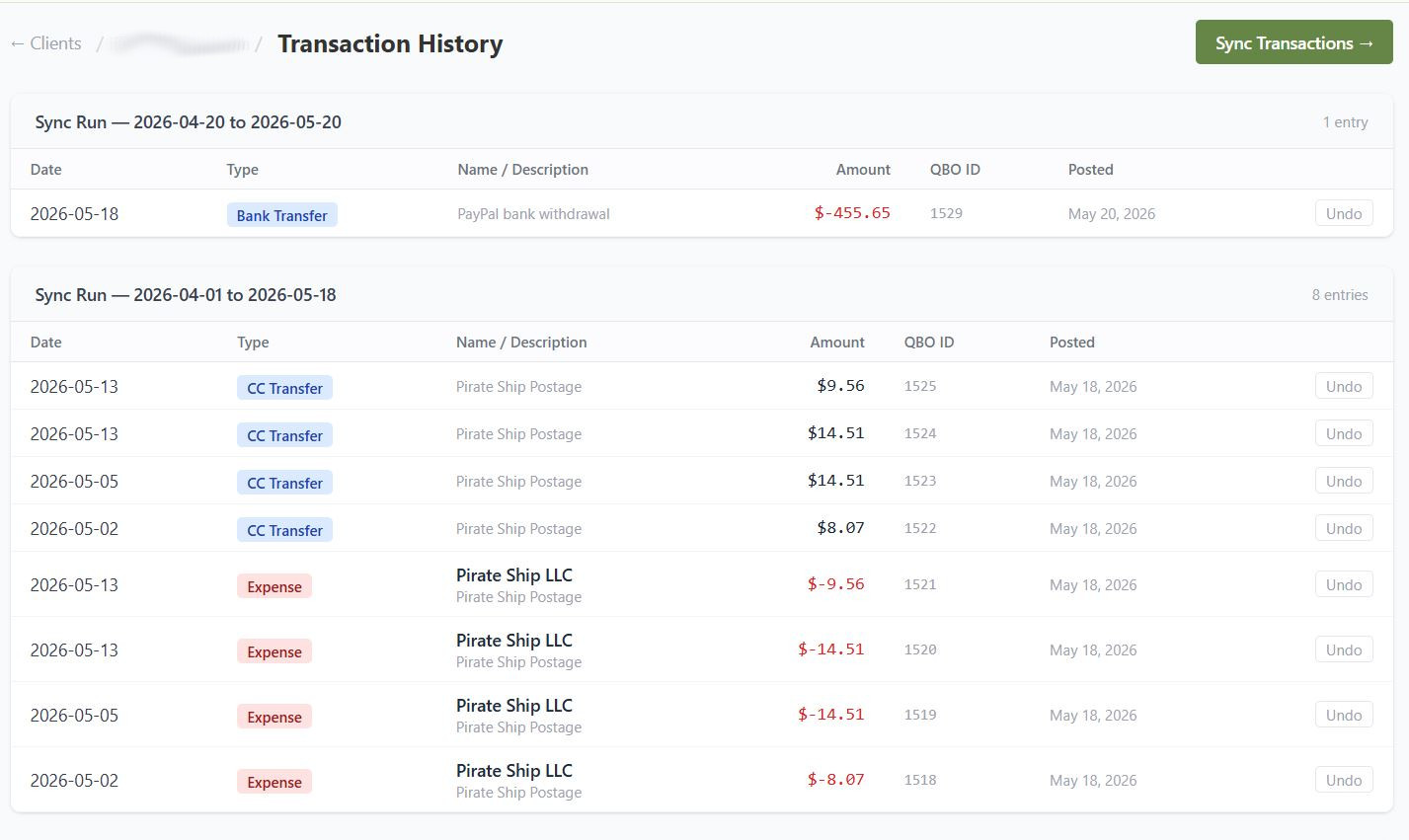
Every sync run is logged with a complete audit trail. Undo entire sync runs when corrections are needed — records are removed from both QBO and the sync log.
Authorize Intersect to access PayPal and QuickBooks Online for each client via their official OAuth flows. Optionally connect Zettle for cash purchase data. Setup takes a few minutes per client.
Set up account mappings once per client — tell Intersect which QBO accounts to use for sales, fees, transfers, and expenses. Vendor mappings handle recurring PayPal payees automatically going forward.
Select a date range, pull transactions from PayPal and Zettle, and review the automatically classified results. Approve, skip, or adjust individual items before anything is posted to QuickBooks.
With one click, Intersect posts all approved transactions to QuickBooks Online as SalesReceipts, Expenses, Transfers, and RefundReceipts — logged, reconciled, and ready for review.
If you manage the books for businesses that use PayPal, CWIS Intersect is built for you. Handle multiple clients — each with their own isolated configuration and sync history — from a single login.
If PayPal is how your customers pay you, and QuickBooks Online is where you track your finances, Intersect bridges the gap — keeping your books current without the manual entry work.
If you use Zettle for in-person sales alongside PayPal, Intersect pulls both into a single sync — so all your payment channels end up in QuickBooks, not just one.
CWIS Intersect is available now. Register for access or get in touch to discuss setup for your business or clients.